Alight Motion vs KineMaster: Which Video Editing App Is Better in 2026?
I have used both of these apps on the same phone, for the same types of projects. Not just to test them, but to actually deliver real content. I have built animated intros in Alight Motion and cut full YouTube vlogs in KineMaster. So when someone asks me about Alight Motion vs KineMaster, I do not need to guess. I have lived both sides of this comparison.
Here is what I found: the Alight Motion vs KineMaster comparison reveals two apps that are not really competing with each other. They are built for different types of creators. The problem is that most people do not know which category they fall into, and they end up downloading the wrong app and giving up on mobile editing entirely. This guide fixes that.
Quick Comparison: Alight Motion vs KineMaster at a Glance
Here is the fast snapshot you need before we go deeper:
| Feature | Alight Motion | KineMaster |
|---|---|---|
| Best For | Motion graphics, animation, complex edits | YouTube, vlogs, social media, fast editing |
| Ease of Use | Moderate to advanced | Beginner to intermediate |
| Keyframe Animation | Advanced, full control | Basic, limited depth |
| Multi-layer Editing | Yes, near-infinite layers | Yes, with depth limits |
| Vector Graphics | Yes | No |
| Chroma Key | Yes | Yes (premium) |
| Export Quality | Up to 4K | Up to 4K |
| Asset Store | Community presets (XML) | Built-in asset store |
| Free Version | Yes (with watermark) | Yes (with watermark) |
| Monthly Price | ~$4.99/month | ~$4.99 to $6.99/month |
| Annual Price | ~$29.99/year | ~$29.99 to $44.99/year |
| Platforms | Android, iOS | Android, iOS |
| Learning Curve | Steep | Gentle |
Best for Beginners: KineMaster, no question.
Best for Animators and Motion Designers: Alight Motion, by a large margin.
Best for YouTubers: KineMaster for traditional content; Alight Motion for animated channels.
Core Difference in 2 Lines:
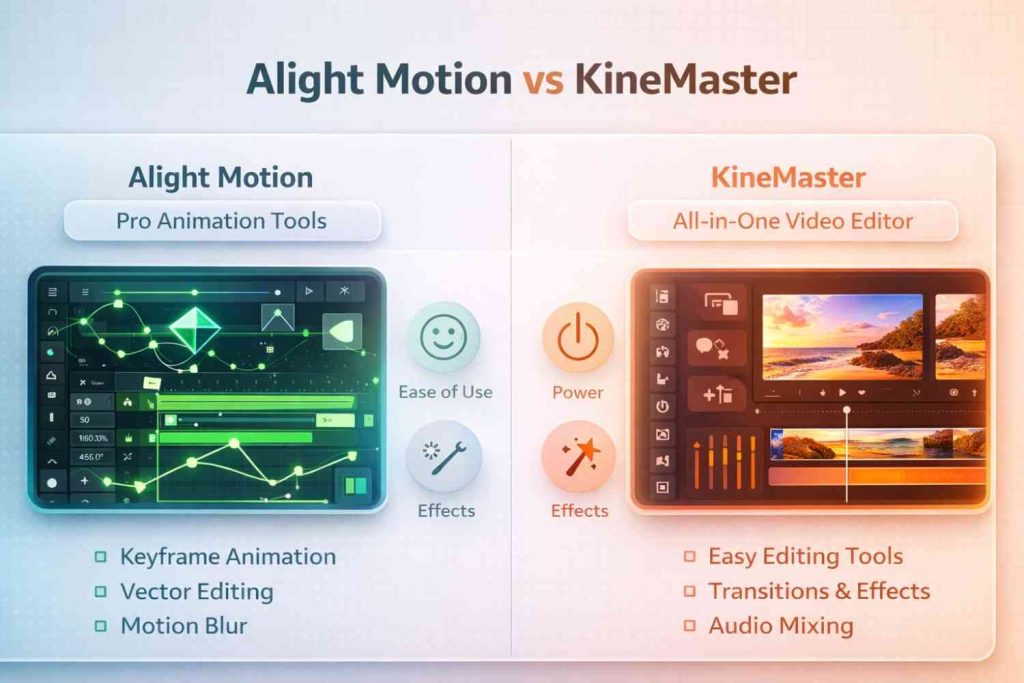
Alight Motion is a motion design studio that happens to live on your phone. KineMaster is a fully featured video editor that happens to fit in your pocket. Both are powerful, but they solve different problems for different creators.
What Is Alight Motion?
If you are looking at Alight Motion vs KineMaster and want to understand what Alight Motion actually is before comparing, start here.
Alight Motion was built by Alight Creative Inc. and released in 2018 with one clear mission: bring professional motion graphics tools to mobile devices. It was not designed to compete with quick-cut video editors. It was designed to compete with desktop tools like Adobe After Effects, just on a phone screen.
When I opened Alight Motion for the first time, my reaction was a mix of excitement and mild panic. The layer panel, keyframe timeline, blend mode options, and vector drawing tools all stared back at me at once. It felt like sitting down at a professional mixing board for the first time.
But once I spent a few days learning the workflow, something clicked. I was creating smooth animated text overlays, logo reveals, and kinetic typography sequences that genuinely impressed people who assumed I was using desktop software. That experience alone tells you what kind of app Alight Motion is.
Who should use Alight Motion?
- Advanced video editors who want full animation control on mobile
- Motion graphics designers and visual artists
- Content creators making animated intros, transitions, and effects
- Designers producing branded content with complex visual layers
- Anyone who wants their content to look like it came from a professional studio
Platforms: Android and iOS. No official desktop version exists, but Alight Motion can be run on Windows through Android emulators like BlueStacks or LDPlayer with reasonable results.
Key Features of Alight Motion
Keyframe Animation
Keyframe animation is the backbone of Alight Motion APK. You can animate every single property of every element, including position, scale, rotation, opacity, color, blur, and more. Each keyframe gets its own easing curve, which means you control not just where something moves, but how it accelerates and decelerates. This is the same system professional animators use in After Effects, delivered directly in a mobile app.
Multi-layer Editing
Alight Motion operates on a true multi-layer system. You can stack video clips, graphic elements, text layers, audio tracks, and effect layers in a single timeline with nearly unlimited depth. Each layer is independently animated and controllable.
When I built a lyric video with six different animated text layers, a background video, two graphic overlays, and a synced music track in my Alight Motion vs KineMaster comparison test, Alight Motion handled it without any structural limitations.
Vector Graphics Support
Alight Motion supports native vector drawing. You can create shapes, logos, and illustrations directly inside the app using a pen tool and Bezier curves. Because these are vector-based, they scale perfectly at any resolution without losing quality. This makes Alight Motion genuinely unique among mobile editors.
Visual Effects and Blending Modes
With 160 plus customizable effect building blocks and a full set of blend modes including Multiply, Screen, Overlay, and Hard Light, the visual customization options in Alight Motion are extensive. You can stack effects, apply color grading curves, add chromatic aberration, create light leaks, and build entirely custom visual looks.
Audio Sync and Timeline Control
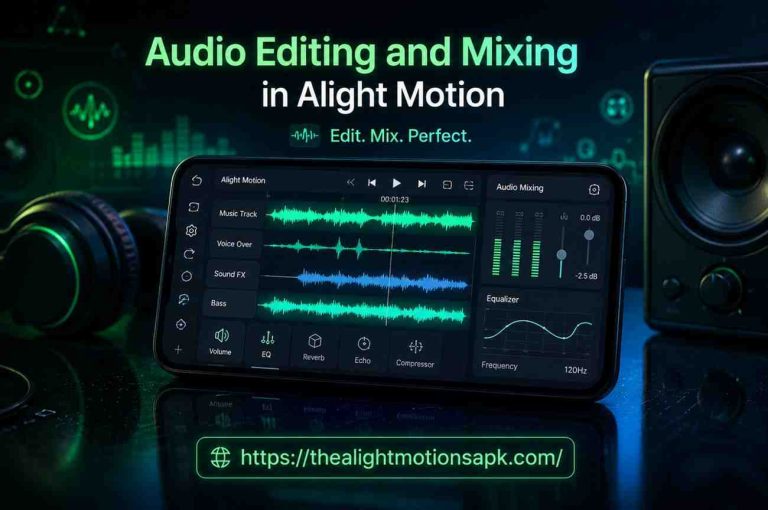
Alight Motion uses a multi-track audio timeline where each audio element sits on its own independent layer. You can set volume levels per track, adjust fade curves, and time audio elements to precise frames. For creators who sync animations to music beats, this level of control makes a significant difference.
Export Formats
Alight Motion exports in MP4 (H.264 and HEVC), GIF, PNG sequences, and WebM. This range of formats covers everything from social media posts to professional deliverables that need to be imported into other editing software.
What Is KineMaster?
On the other side of the Alight Motion vs KineMaster debate sits KineMaster, a professional-grade mobile video editor that has been around since 2013, making it one of the oldest and most established apps in this space.
I first used KineMaster when I needed to put together a 10-minute YouTube video during a trip and did not have access to my laptop. Within 20 minutes, I had imported my footage, cut the timeline, added transitions, synced background music, dropped in title cards, and was rendering the final export. That speed and reliability is exactly what KineMaster is built for.
The app has been downloaded over 650 million times globally. That number is not a coincidence. KineMaster delivers a genuinely complete video editing experience that works for a wide range of creators without requiring any prior editing knowledge.
Who should use KineMaster?
- YouTube creators and vloggers who need fast, efficient editing
- Beginners picking up video editing for the first time
- Small business owners creating product or explainer videos
- Social media content creators across TikTok, Instagram, and YouTube Shorts
- Educators, teachers, and tutorial creators
Platforms: Android, iOS, and KineMaster also has a limited desktop version for Apple Silicon Macs (M1 and above), making it one of the few mobile-first editors with any real desktop presence.
Key Features of KineMaster
Multi-layer Video Editing
KineMaster supports multiple video, image, text, and effects layers on a single timeline. The interface makes it easy to add and manage these layers without getting lost in complexity. While it does not match the depth of Alight Motion’s layering system, it handles everything most video creators need for everyday content.
Chroma Key (Green Screen)
KineMaster’s chroma key tool is one of its strongest features and is available in the premium version. The tool removes green screen backgrounds cleanly and supports edge feathering for more natural-looking composites. For YouTubers and online educators who use virtual backgrounds, this feature alone can justify the subscription.
Transitions and Effects
KineMaster has a large built-in library of transitions including wipes, fades, 3D flips, and slide effects. The asset store allows you to download additional effects, transitions, stickers, and overlays. The library is regularly updated and covers most of what social media content creators need.
Audio Editing Tools
KineMaster supports multiple audio tracks, voiceover recording directly inside the app, volume envelope control, and automatic audio normalization. The audio workflow is intuitive and well-integrated with the video timeline, making it a solid choice for creators who work with spoken dialogue, background music, or podcast-style content.
Asset Store and Templates
KineMaster’s built-in asset store is one of its most unique advantages. You can browse and download professionally designed templates, effects packages, transitions, and music tracks without leaving the app. Many assets are included with the premium subscription, though some specialized packs require separate purchases.
4K Export Support
KineMaster supports 4K video export at up to 60 frames per second in the premium version. Export speed on KineMaster is notably fast, particularly for standard timeline edits without heavy compositing.
Alight Motion vs KineMaster: Feature-by-Feature Comparison
When you line up Alight Motion vs KineMaster feature by feature, clear patterns emerge about which app wins in which categories. This Alight Motion vs KineMaster breakdown covers every major area creators care about.
Interface and Ease of Use
KineMaster’s interface is laid out in a way that feels immediately logical. The main timeline runs across the bottom, the media browser sits on one side, and your primary editing tools are organized in a clean ring around the preview window. First-time users consistently report being able to make their first edit within minutes of opening the app.
Alight Motion takes more time to understand. The layer-based workspace is powerful but requires you to mentally shift how you think about video editing. You are not arranging clips on a timeline; you are composing scenes by layering elements and defining how each one behaves over time. This is a fundamentally different approach, and it has a real learning curve.
My honest take after using both: if you handed KineMaster to someone who has never edited a video and gave them 30 minutes, they would produce something watchable. If you handed Alight Motion to the same person, they would probably still be figuring out what a layer is.
Winner: KineMaster for ease of use and beginner accessibility.
Editing Workflow and User Experience
KineMaster’s workflow is linear and logical. You import clips, arrange them on the timeline, add effects and transitions, drop in audio, and export. Every step follows naturally from the last. This makes it ideal for creators who want to maintain consistent output without spending hours in the edit.
Alight Motion’s workflow is non-linear and composition-based. You build scenes rather than assemble footage. You can jump between layers, animate properties independently, and make changes at any point in the project without disrupting the overall structure.
Winner: KineMaster for everyday editing speed; Alight Motion for creative compositing workflows.
Animation and Keyframe Control
This is the category where Alight Motion vs KineMaster is not even a close contest.
Alight Motion’s keyframe system is deep and thorough. Every animatable property has its own keyframe channel. You can set keyframes on position, rotation, scale, opacity, color, blur, effect parameters, and audio levels simultaneously. Between keyframes, you control the easing curve with Bezier handles. I have used this to create animations that look indistinguishable from After Effects output.
KineMaster does support basic keyframe animation. You can animate position, scale, rotation, and opacity on text and overlay elements, though Alight Motion iOS users get access to more advanced keyframing tools like bezier curves and easing presets.
However, the keyframe editor is simple. There are no Bezier easing curves, no per-effect keyframing, and no way to animate vector properties or audio parameters over time.
Winner: Alight Motion, by a significant margin. There is no comparison for serious animation work.
Layering and Compositing Capabilities
Alight Motion gives you near-unlimited layers. Each layer can have its own animation, effects stack, and blend mode. You can use masking, clipping layers, and layer grouping to build complex compositions. Parent-child layer relationships let you link objects so animating a parent automatically affects all its children.
KineMaster supports multiple layers and handles them well for standard video editing. You can stack videos, images, text, and effects. However, there is no layer grouping, no parent-child relationships, and no advanced compositing tools like blend modes across video tracks.
Winner: Alight Motion for compositing depth.
Visual Effects, Filters and Customization
KineMaster has a solid and regularly updated library of filters, LUTs, and visual effects. The asset store expands this library continuously. For most social media content, KineMaster’s effects library is more than sufficient and significantly easier to apply.
Alight Motion’s effect system is building-block based. You combine base effect components to create custom looks that nobody else has. Blend modes, gradient fills, chromatic aberration, and custom color curves give you control over every visual detail.
Winner: KineMaster for quick, polished effects; Alight Motion for unique custom visual treatments.
Audio Editing and Synchronization
KineMaster handles audio well for a video-first app. Multiple audio tracks, voiceover recording, volume envelopes, and automatic normalization make it a complete audio editing environment for most creators. The beat detection tool is particularly useful for music-driven content.
Alight Motion’s audio capabilities are more limited. You can add multiple audio tracks and adjust volume levels, but voiceover recording is not built in, and there are no advanced audio processing tools. Where Alight Motion shines is in animation-to-audio synchronization, where the precise timeline control lets you time visual animations to exact audio beats a key difference I noticed in my Alight Motion vs InShot comparison.
Winner: KineMaster for audio editing features; Alight Motion for beat-synced animation timing.
Templates, Presets and Asset Libraries
KineMaster wins this category in terms of convenience. The built-in asset store is polished, well-organized, and regularly updated with new content. You can search, preview, and download new templates and effects without leaving the app.
Alight Motion’s asset ecosystem lives primarily in the community. YouTube channels and Telegram groups share thousands of free XML preset files and full project templates. These presets can produce staggeringly impressive results, but finding, downloading, and importing them requires more effort than clicking a button inside an app store.
Winner: KineMaster for convenience; Alight Motion for variety and creative depth.
Export Quality, Formats and Resolution
Both apps support 4K export. Alight Motion exports in MP4 (H.264 and HEVC), GIF, PNG sequences, and WebM. KineMaster exports in MP4 and MOV at resolutions up to 4K and frame rates up to 60fps in the premium version.
In practical testing, KineMaster exports standard video edits significantly faster than Alight Motion exports composited animation projects. This is because KineMaster is optimized for linear video assembly, while Alight Motion needs to render each composited layer and its animations individually.
Winner: Tie for output quality; KineMaster for export speed on standard projects.
Performance Comparison: Speed, Stability and Rendering
Most comparison articles skip this section, but in the Alight Motion vs KineMaster debate, real-world performance affects your daily experience more than any spec sheet. Here is what actually happens when you use these apps on a real device.
App Speed on Low-End vs High-End Devices
KineMaster is noticeably lighter and faster on a wide range of devices. On a mid-range Android phone with 4GB RAM, KineMaster opens quickly, imports media fast, and plays back timeline previews smoothly on most standard edits. Even budget phones with 3GB RAM can run KineMaster without significant issues for basic projects.
Alight Motion is more resource-intensive. On that same mid-range phone, a project with 6 or more layers and multiple animated effects will start showing preview stutters. On low-end devices with 2GB RAM, Alight Motion becomes frustratingly slow for any project beyond basic edits. On flagship devices with 8GB RAM and a Snapdragon 8 Gen or Apple A-series chip, Alight Motion performs very well.
Rendering Time
For a standard 60-second YouTube clip with basic cuts and transitions, KineMaster exports in roughly 15 to 30 seconds at 1080p. For a similar-length Alight Motion project with 5 animated layers and effects, expect 60 to 120 seconds at 1080p, and significantly longer for 4K. The gap widens as project complexity increases.
App Crashes and Lag
KineMaster is one of the most stable mobile editing apps I have used. Crashes are rare even on older devices, and I have never lost project work due to an unexpected close. Alight Motion is less consistent. On complex projects with many layers, live preview can stutter during playback, and on devices with limited RAM, crashes during export are not unheard of.
Heavy Project Handling
KineMaster handles long timelines of 15 to 30 minutes of footage better than most mobile editors. For YouTube creators putting together full-length videos, this matters. Alight Motion is optimized for shorter, more complex compositions rather than long-form linear edits.
Winner: KineMaster for performance, stability, and handling heavy or long-form projects.
Device Compatibility and System Requirements: Alight Motion vs KineMaster
Android Support:
Both apps support Android 5.0 and above. KineMaster runs comfortably on devices with as little as 2GB RAM. Alight Motion performs best on devices with 4GB or more RAM. For complex projects with many animation layers, 6GB or more RAM is recommended.
iOS Support:
Both apps are available on iPhone and iPad, requiring iOS 13.0 or later. On iPad, KineMaster scales up particularly well, offering a more spacious editing environment.
PC Usage:
KineMaster has a limited version available for Apple Silicon Macs (M1 and above), giving it a genuine advantage for Mac users. Alight Motion has no official desktop version but can be used on Windows via Android emulators like BlueStacks or LDPlayer. The experience is functional, though the app interface was not designed for mouse input.
Pricing and Subscription Plans: Alight Motion vs KineMaster
Pricing is a real factor in the Alight Motion vs KineMaster decision, especially for students and independent creators. Here is the full breakdown.
Alight Motion Pricing
Alight Motion follows a freemium model. The free version is available on Google Play and the App Store and gives you access to core features, but every exported video carries a visible watermark. The free tier works for learning the app but is not suitable for publishing professional content.
The Pro subscription costs approximately $4.99 per month or $29.99 per year. The annual plan brings the effective cost down to about $2.50 per month. Pro removes the watermark completely, unlocks the full effects library, enables high-resolution exports, and grants access to premium community assets.
One important note: Alight Motion’s free version is limited more aggressively than some competitors. Many of the most useful effects and export options sit behind the paywall. If you want to use Alight Motion seriously, the Pro subscription is close to mandatory.
KineMaster Pricing
KineMaster also offers a free version on both platforms. The free version includes the core editing tools but adds a visible watermark to exports and limits access to premium assets from the asset store.
KineMaster Premium costs approximately $4.99 to $6.99 per month or $29.99 to $44.99 per year depending on your region. The premium subscription removes the watermark, removes all ads, unlocks unlimited access to premium assets from the asset store, and provides 10GB of KineCloud storage for project backup and sharing across up to 5 devices. KineMaster does not currently offer a lifetime purchase option.
Winner: Roughly equal at the subscription level, though Alight Motion’s annual plan at $29.99 is slightly more affordable than KineMaster’s upper-tier annual pricing.
Pros and Cons of Alight Motion
Here is an honest breakdown of Alight Motion’s strengths and weaknesses to help you finalize your Alight Motion vs KineMaster decision.
Pros
- The most advanced keyframe animation system of any mobile editor
- True vector graphics support for logo and illustration work
- Near-unlimited multi-layer compositing with blend modes and masking
- Active community sharing thousands of free XML presets and project templates
- Exports in MP4, GIF, PNG sequences, and WebM
- Unique visual effects system with building-block customization
- Regular updates that consistently add new professional-grade tools
Cons
- Steep learning curve that can discourage beginners
- Free version is aggressively watermarked with many features locked
- Resource-heavy and performs poorly on low-end and older devices
- No official desktop version
- Export rendering takes longer than KineMaster for complex projects
- Community presets require manual download and import, no in-app store
- App can stutter or crash on heavy projects with limited device RAM
Pros and Cons of KineMaster
Pros
- Extremely beginner-friendly with a clean, intuitive interface
- Fast rendering and stable performance across a wide range of devices
- Built-in asset store with professionally designed templates and effects
- Solid audio editing tools including voiceover recording and normalization
- Available on Apple Silicon Macs for a basic desktop editing experience
- Excellent for long-form YouTube content with large timeline support
- Chroma key (green screen) support built into the premium plan
Cons
- Keyframe animation is basic and lacks depth for serious motion design
- No vector graphics support
- Layer compositing is limited compared to Alight Motion
- Asset store premium packs can add extra cost beyond the subscription
- No lifetime purchase option
- Less creative ceiling for advanced visual effects work
- Some specialized features like advanced masking are absent
Real Use Case Breakdown: Which App Should You Choose?
This section of the Alight Motion vs KineMaster guide matters more than any feature list. Features do not define the right tool. Your specific creative needs do. Let us break down the Alight Motion vs KineMaster decision by exact use case.
Best for Beginners
KineMaster wins clearly. If you are picking up video editing for the first time, KineMaster gives you a clear path from zero to a finished, published video. The interface makes sense from the moment you open it, and the results are immediately satisfying. With Alight Motion, beginners often spend their first hour just understanding what layers are, which is discouraging before the real work even begins.
Best for YouTube Video Editing
KineMaster wins for most YouTube creators. If your channel focuses on vlogs, tutorials, reviews, gaming commentary, or talking-head content, KineMaster handles these workflows efficiently and reliably. Long timelines, multiple audio tracks, and clean transitions are all areas where KineMaster delivers. In the Alight Motion vs KineMaster comparison, for YouTube channels focused on animated content or motion-graphic-heavy visual branding, Alight Motion becomes the stronger choice.
Best for TikTok, Reels and YouTube Shorts
KineMaster for quick content; Alight Motion for viral-quality visual edits. For fast, trend-based content that needs to go up the same day, KineMaster’s speed and template library make it the practical choice. But if you want your short-form content to stand out visually, with smooth custom animations and unique effects, Alight Motion is capable of producing content that genuinely looks different from everything else in the feed.
Best for Motion Graphics and Animation
Alight Motion, with no competition. No other mobile app comes close to Alight Motion for motion graphics work. Keyframe animation, vector graphics, blend modes, masking, and the ability to animate every single property independently give you tools that no other mobile editor provides. If animation is your primary goal, KineMaster is simply not built for that job.
Best for Professional Editing
It depends on your definition of professional. If professional means producing polished, high-quality video content consistently and efficiently for a YouTube or social media audience, KineMaster is the professional choice. If professional means creating motion-design-level visual content that rivals desktop studio output, Alight Motion is the professional choice.
Best for Low-End Devices
KineMaster, without any hesitation. KineMaster runs smoothly on budget and mid-range devices. Alight Motion becomes frustrating on anything with less than 4GB RAM when handling layered animation projects. If your phone is an older or budget model, KineMaster is the only realistic option between the two.
Animation Comparison: Alight Motion vs KineMaster
Since both apps claim animation capabilities, this Alight Motion vs KineMaster animation section gives you the honest technical breakdown of what each app can actually do.
Keyframe Control Depth
Alight Motion gives you keyframes on every animatable property. Position, scale, rotation, opacity, color, blur radius, effect parameters, and audio volume all have independent keyframe channels. Each keyframe has its own timing curve that you adjust with Bezier handles. This is genuine professional keyframe animation.
KineMaster gives you keyframes on position, scale, rotation, and opacity for overlay elements. The timing between keyframes follows a linear or basic ease pattern. You cannot adjust the easing curve with custom Bezier handles, and you cannot keyframe effect parameters, colors, or audio levels over time.
Motion Effects Flexibility
In Alight Motion, I have built custom bounce animations, smooth logo reveals with custom deceleration curves, and kinetic typography sequences where each letter animates independently. None of this is possible in KineMaster’s animation system.
In KineMaster, you can make text slide in, an image scale up, or a clip fade out. These are clean, useful animations that work well for most YouTube and social media content. They just are not motion graphics.
Vector vs Raster Workflow
Alight Motion supports both vector and raster (bitmap) graphics. Vector elements remain infinitely sharp at any scale. You can draw custom shapes, create illustrations, and animate vector paths directly inside the app.
KineMaster works exclusively with raster graphics. There is no vector drawing tool, no Bezier path editor, and no way to create resolution-independent graphics inside the app.
Winner: Alight Motion, decisively. The gap in animation capability is the single biggest difference in the entire Alight Motion vs KineMaster comparison, and it is not close.
Community Support and Learning Resources: Alight Motion vs KineMaster
Alight Motion Community
Alight Motion has one of the most active creative communities of any mobile editor. YouTube is packed with tutorial channels dedicated entirely to Alight Motion techniques and project breakdowns. Telegram groups share free XML preset packs that can make beginner projects look extraordinary. Reddit communities and Facebook groups provide active support.
KineMaster Community
KineMaster has a large and well-established community built over more than a decade. The official KineMaster YouTube channel posts tutorials regularly. Third-party tutorial creators cover everything from beginner cuts to advanced chroma key workflows. The learning curve for KineMaster is low enough that most users find a handful of YouTube tutorials sufficient to get started quickly.
Both apps have strong communities, but Alight Motion’s community is more technically deep while KineMaster’s is broader and more accessible for newcomers.
Alternatives to Alight Motion and KineMaster
If neither app in this Alight Motion vs KineMaster comparison fits your exact needs, these alternatives are worth a serious look.
CapCut
CapCut is currently the dominant force in social media video editing. It is free, fast, has an enormous template library, strong AI tools, and is optimized specifically for TikTok, Reels, and YouTube Shorts. If you want simplicity with more features and better templates, CapCut is the strongest alternative to both apps for social media creators.
VN Editor (VlogNow)
VN Editor is a clean, free editor with a solid multi-track timeline, good color grading tools, and reliable performance on mid-range devices. It sits between KineMaster and Alight Motion in terms of complexity and is particularly popular among vloggers and travel content creators.
Adobe Premiere Rush
Adobe Premiere Rush is Adobe’s mobile-first video editor that integrates with the full Premiere Pro ecosystem. For creators already invested in Adobe’s software suite and wanting a smooth mobile-to-desktop workflow, Premiere Rush is a natural choice. It is more limited on mobile than either Alight Motion or KineMaster, but the desktop handoff is unmatched.
Filmora (for Mobile)
Filmora is a beginner-friendly editor with a polished interface, a good range of effects, and competitive pricing. It occupies a similar space to KineMaster but with a more modern design and growing AI feature set. Worth considering for creators who find KineMaster’s interface slightly dated.
Final Verdict: Alight Motion vs KineMaster, Which One Wins in 2026?
After using both apps extensively across multiple projects, the Alight Motion vs KineMaster answer comes down to one question: what do you actually make?
Choose Alight Motion if:
You are serious about motion graphics and animation, you want full keyframe control over every element in your project, you are creating content where the visual quality and uniqueness of your animations matters, or you are willing to invest time in learning a more complex tool in exchange for significantly more creative power.
Choose KineMaster if:
You create content regularly for YouTube, TikTok, Instagram, or any social media platform where speed and consistency matter, you are a beginner who needs a tool that does not require weeks of learning, you work with long-form video content like vlogs or tutorials, or you need reliable performance on a mid-range or older phone.
The most important thing to understand about Alight Motion vs KineMaster in 2026 is this: neither app is objectively better. They are built for different purposes, and the right Alight Motion vs KineMaster choice means being honest about what kind of creator you are, not which app has the longer feature list.
Many experienced mobile editors use both to get the best of this Alight Motion vs KineMaster choice. KineMaster handles their everyday content production, and Alight Motion comes out for the special projects where the visual quality needs to be exceptional.
FAQ‘s
Is Alight Motion better than KineMaster for beginners?
No. For beginners, KineMaster is significantly more accessible. Its interface is clean and logical, and most new editors can produce a complete video within their first session. Alight Motion requires a meaningful time investment to understand the layer-based workflow, keyframe system, and compositing tools. It is a powerful app for someone willing to learn, but it is not the right starting point for someone new to video editing.
Which app is best for animation, KineMaster or Alight Motion?
Alight Motion is superior for animation, and it is not a close comparison. Alight Motion provides full keyframe animation with Bezier easing curves on every animatable property, vector graphics support, blend modes, and independent layer animation. KineMaster offers basic keyframe support for position, scale, rotation, and opacity on overlay elements, but lacks the easing controls, effect keyframing, and vector support needed for professional motion design work.
Does KineMaster support keyframe animation?
Yes, KineMaster supports basic keyframe animation on overlay elements including text, images, and sticker layers. However, KineMaster does not offer Bezier easing curves, per-effect keyframing, or vector property animation. The keyframe system in KineMaster is functional for simple movements but is not designed for complex motion graphics work, unlike Alight Motion which pairs advanced keyframing with creative options like Stylish Hindi Fonts in Alight Motion for regional content creators.
Is Alight Motion free to use?
Yes, Alight Motion has a free version available on Google Play and the App Store. The free version provides access to core editing features but places a visible watermark on all exported videos and restricts many premium effects and tools. The Pro subscription at approximately $4.99 per month or $29.99 per year removes the watermark and unlocks the complete feature set. For serious creative work, the Pro subscription is effectively necessary.
Which app is better for YouTube video editing?
For most YouTube channels, KineMaster is the stronger choice. It handles long video timelines efficiently, supports multiple audio tracks, voiceover recording, and clean transitions. However, for YouTube channels focused on animated content, motion graphics, or heavily designed visual branding, Alight Motion offers superior animation and compositing tools.