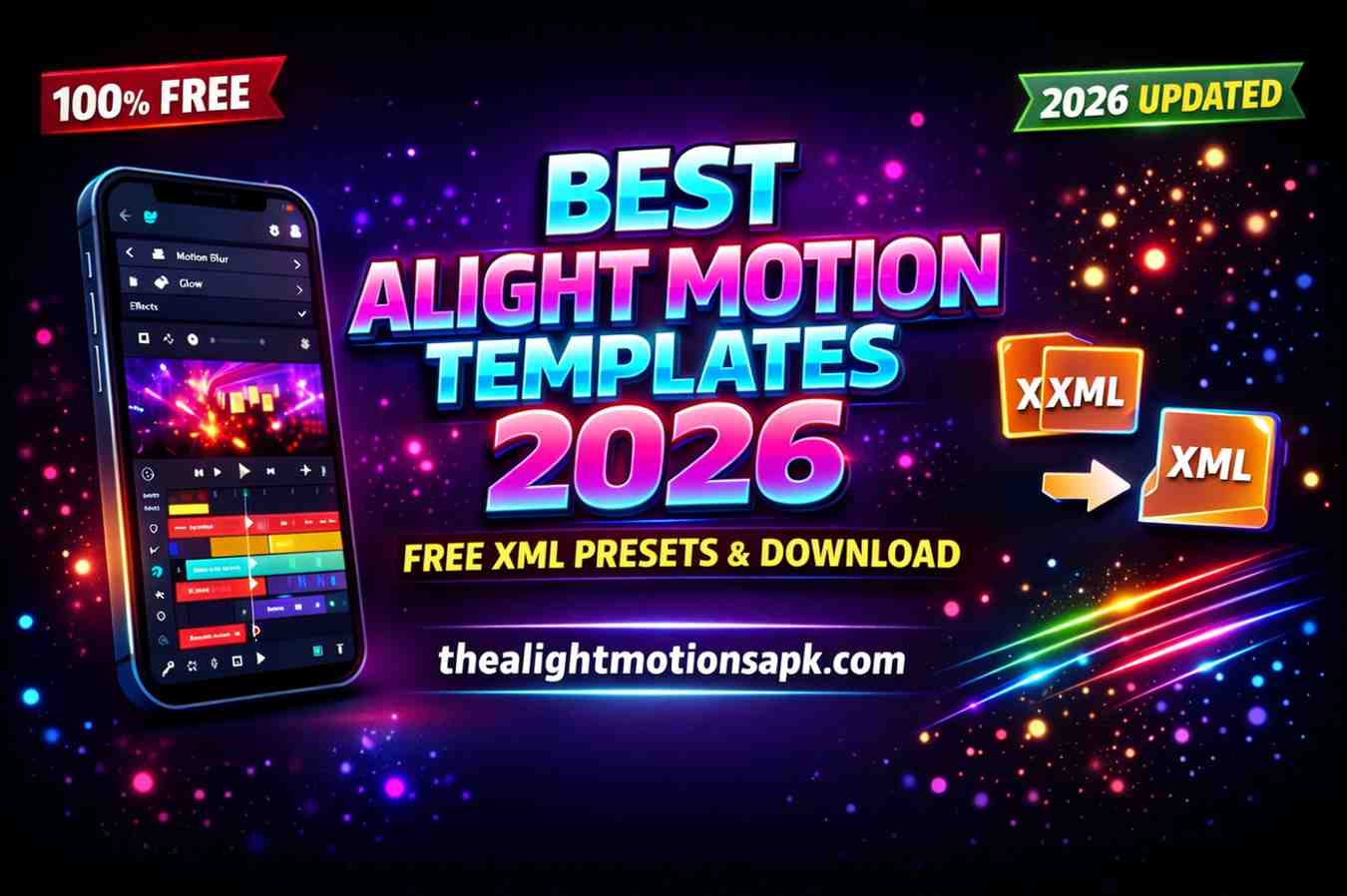
Alight Motion Templates 2026 – Free XML Download for Viral Reels
I still remember the first time I downloaded an Alight Motion template. I had spent three hours trying to build a beat-sync reel from scratch keyframes everywhere, transitions not quite landing, the whole thing feeling amateurish. Then a creator I followed shared an XML file.
I imported it, swapped my photos in, and exported a video that looked genuinely professional in under ten minutes. That was the moment I understood what the best Alight Motion templates actually do for you.
This guide covers everything from the top template picks for 2026, to how to use them, where to find them, and how to customize them so your content never looks generic.
Quick List: Best Alight Motion Templates Right Now
Top 7 Alight Motion Templates at a Glance:
| # | Template | Best For | What It Does |
| 1 | First Love XML | Instagram Reels | Romantic kinetic text, smooth transitions for couple edits |
| 2 | Blur Shake Template | Beat Sync Edits | Aggressive shake + blur, hits every beat drop precisely |
| 3 | Habibi Template | Instagram / Snapchat | Arabic calligraphy motion mainstream viral, stands out |
| 4 | Cinematic Black Bar | YouTube / Brand | Letterbox bars, elegant overlays, instant film-quality look |
| 5 | Glitch & Distortion | Gaming / Drama | VHS noise, chromatic aberration, raw high-energy aesthetic |
| 6 | Minimal Lyric Sync | Any Niche / Poetry | Clean sans-serif fades ideal for brand and client work |
| 7 | 3D Zoom Velocity | TikTok / Short-form | Rapid zoom keyframes timed to drops wider algorithmic reach |
Quick tip: Match your template to your platform and content mood for the best results.
What Are Alight Motion Templates?
An Alight Motion template is a pre-built editing project that someone else has already designed complete with animations, effects, keyframes, transitions, and layer structures. You import it, swap in your own photos or videos, and you are done. All the hard creative work is already done for you.
Templates in Alight Motion come in three main formats:
XML files are the most common format. An XML file stores all the layer data, keyframe positions, effects settings, and animation timings from a project. When you import an XML file into Alight Motion, it recreates the entire project exactly as the original creator designed it. These work best on Android iOS users sometimes need to use a project link instead.
Project links or QR codes are shareable links or scannable codes that load a complete project directly into Alight Motion. This format is especially popular on iOS since file management works differently on iPhones. You scan the QR code inside the app and the template loads instantly without any file downloading.
Project package files are complete exports of an entire Alight Motion project including all media assets. These are larger files but include everything no missing fonts or effects. They are often shared by premium template creators.
Key point: A template is not just a filter or a preset. It is a full editing project with every layer and animation already set up you step into someone else’s creative setup and make it your own.
Why Use Alight Motion Templates?
I have edited hundreds of videos and I can tell you honestly the best Alight Motion templates are not a shortcut for lazy editors. They are a professional tool for smart ones. Here is why:
Faster editing workflow: Building animations from scratch takes hours. A well-designed template reduces that to minutes. For content creators producing daily or weekly content, this time saving is enormous.
Professional-quality animations: Most community-created templates are built by skilled editors who know Alight Motion inside out. The easing curves, timing, and layer compositions in a good template are better than what most beginners would create in hours of work.
Reusable designs: One template can power dozens of different videos. You swap the photos, adjust the text, and you have a completely fresh-looking edit. This is how many full-time content creators maintain a consistent visual style without burning out.
Perfect for beginners: If you are new to Alight Motion, templates are also the best way to learn. Open the template, study how the layers are structured, look at how keyframes are positioned, and reverse-engineer the effects. I learned more from analyzing five good templates than I did from three weeks of trial and error.
Types of Alight Motion Templates You Should Know
Not all templates serve the same purpose. Understanding the types helps you pick the right one for each project.
Intro & Outro Templates
These are short animated sequences usually 3 to 8 seconds designed to open or close a video. Intro templates include animated logo reveals, channel name animations, or stylized title cards.
Outro templates often feature social media icon animations and subscribe button reminders. A polished animated intro makes your channel look professional from the first frame.
Instagram Reels & TikTok Templates
These are arguably the most popular category of Alight Motion templates right now. Built specifically for vertical 9:16 format, timed to music beats, and designed for fast, high-energy viewing.
Beat-sync templates, lyric video templates, and photo slideshow templates all fall into this category. The best ones are built to match trending audio styles so your reel feels current the moment you post it.
Text Animation Templates
Text animation templates focus on how words appear, move, and exit the screen. Typewriter effects, kinetic typography, word-by-word reveals, and split-text animations are common styles. These work well for motivational content, lyric videos, product announcements, and any content where the message needs to feel dynamic rather than static.
Logo Animation Templates
Logo animation templates are designed for brands and creators who want a professional animated logo reveal. They range from simple fade-ins to complex 3D-style spinning reveals with particle effects. An animated logo Alight Motion template makes every video feel more polished and recognizable.
Beat Sync / Velocity Edit Templates
Beat sync and velocity edit templates are the most technically complex and the most visually impressive. They are pre-timed to hit specific beats in a song, using rapid cuts, zoom effects, shake transitions, and color grade shifts. You drop in your clips and the music, and the edit does the rest.
Best Alight Motion Templates – Top Picks
Here are the best Alight Motion templates broken down by style and use case, based on what is actually working for creators in 2026.
Trending Instagram Reel Templates
First Love XML remains one of the most downloaded templates in the entire Alight Motion community. It features soft kinetic text, smooth photo transitions, and a romantic visual style that works perfectly for couple content, anniversary edits, and emotional photo slideshows.
Beat Sync Status Template is built for creators who want their reels to hit hard on every beat drop. The layer structure includes pre-placed cut points that you align with your chosen audio track. This template consistently drives high saves and shares on Instagram Reels.
Cinematic Edit Templates
Cinematic Black Bar Template adds widescreen letterbox bars with elegant text overlays and smooth color grading. Creators making travel content, brand videos, or documentary-style edits love this template because it instantly adds a film-like quality to any footage.
Habibi Template has crossed from niche to mainstream viral. The Arabic calligraphy-inspired motion combined with modern transition speeds creates a distinctive look that stands out in any feed. It performs especially well on Instagram and Snapchat stories.
Glitch & Effect Templates
Glitch & Distortion Pack brings VHS-era visual noise into modern edits. Chromatic aberration, scanline overlays, and rapid shake effects are all pre-built and keyframed. Top pick for gaming content creators and dramatic reveal videos.
X and Y Shake Template uses horizontal and vertical position keyframes to create precise camera-shake style motion. It is lightweight, fast to customize, and works on both budget and high-end phones without performance issues.
Minimal & Clean Templates
Minimal Lyric Sync Template is for creators who want elegance over energy. Clean sans-serif fonts, simple fade transitions, and plenty of negative space make this ideal for poetry content, aesthetic photo edits, and premium brand content. It is the template I personally use most often for client work.
Puzzle Template uses a tile-based reveal effect where the photo appears piece by piece in a grid formation. Ideal for product reveals, before-and-after transformations, and creative photo storytelling.
Viral TikTok Style Templates
3D Zoom Velocity Edit uses rapid zoom-in and zoom-out transitions timed to music drops, creating the high-speed intensity that TikTok’s algorithm tends to reward with wider reach. The zoom keyframes are pre-built you just swap your clips.
Pota Pota Template features scattered particle text effects trending heavily on short-form video platforms throughout 2025 and into 2026. It works for any text-heavy content lyrics, captions, motivational quotes.
Free vs Paid Alight Motion Templates – Which is Better?
This is one of the most common questions I hear from new creators, and the honest answer is: it depends on what you are making.
| Free Templates | Premium Templates | |
| Cost | Free | Paid (varies) |
| Quality | High – community made | Very high – pro optimized |
| Uniqueness | Widely used | Exclusive / rare |
| Effects | May need Pro sub | All effects included |
| Support | Community forums | Direct creator support |
| Best For | Personal creators, learners | Client work, brand content |
Free templates are genuinely excellent for most creators. The Alight Motion community is generous skilled editors share high-quality XMLs for free on YouTube, Telegram groups, and community websites. Free templates like First Love, Blur Shake, and Beat Sync Status have powered millions of viral videos.
Premium templates typically include exclusive effects combinations not available in free packs, higher-resolution assets, more complex animation rigs, and dedicated creator support. Trusted sources include Freepik and Alight Creative.
When to upgrade: If you are running a content business or producing client work, premium is worth it. Personal creators and learners will find free templates from trusted sources are everything they need.
How to Use Alight Motion Templates Step-by-Step
Step 1: Import XML or Project File
Download your chosen template from a trusted source. Open Alight Motion and tap the + icon. Select Import and choose your XML or project package file from your device’s storage. On iOS, tap the three-dot menu and select Scan QR Code.
Step 2: Open Template in Alight Motion
Once imported, the template opens as a complete project in the timeline editor. You will see all the pre-built layers image placeholders, text layers, effect layers, and audio tracks. Do not delete anything yet. Take a moment to scroll through the timeline and understand the structure before editing.
Step 3: Replace Images and Media
Tap each image or video placeholder layer in the timeline. Use the Replace Media option under the Media tab to swap in your own photos or clips. The new media takes the same position, size, and effects as the placeholder your animation stays intact.
Pro Tip: Always duplicate the template before replacing any media. This keeps the original intact so you can start fresh if something goes wrong during customization.
Step 4: Customize Text and Effects
Tap any text layer to edit the content. Change the words, adjust the font size, and update colors to match your brand. For effects layers, tap the Effects panel and adjust intensity, color, and speed values. Just tweak the existing settings to make the template feel like yours.
Step 5: Export Final Video
Once satisfied with the preview, tap the Export icon in the top-right corner. Select 1080p for most social media, 4K if your content demands it. Choose MP4 as the format and hit Export. Your finished video saves to your device’s gallery, ready to upload.
How to Customize Templates Like a Pro?
Using the best Alight Motion templates is only half the skill. Customizing them well is what separates great creators from average ones.
Replace images strategically: Use photos or clips that match the original’s composition and color tone. A template built around warm-toned, golden-hour photos will look off if you drop in cool, bright daylight shots. Match the mood, not just the subject.
Change colors and fonts to match your brand: Every text layer and color fill in a template is editable. Open the color picker and update accent colors. Change fonts to ones that feel personal to your style Alight Motion supports custom font imports.
Adjust animation speed: Many templates run at a pace designed for a specific song. Use keyframe editing to shift cut points and transition speeds to match your chosen track. Even shifting a keyframe by three or four frames can dramatically change how the edit feels.
Use effects and layers properly: Avoid stacking too many heavy effects on the same layer. Keep the original effects structure where possible and add only one or two additional effects on top. The template creator has already optimized the layer structure for performance.
Best Practices for Using Alight Motion Templates
Keep layers organized: Before you start swapping anything, rename the layers so you know exactly what each one does. This becomes especially important when you are working with complex templates that have 30 or more layers.
Match visuals and music: When using a beat-sync template, make sure your media cuts land on the actual beat, not just near it. One or two frames of misalignment is visible to attentive viewers, especially if you’re editing on Alight Motion old version where preview rendering can sometimes feel slightly off.
Maintain quality – HD or 4K: Always use the highest resolution source media you have available. A template cannot make a blurry photo look sharp. Import high-quality files and let the template’s animations enhance them.
Avoid over-editing: This is the most common mistake. Creators import a beautiful minimal template and then add five extra effects and change everything, ending up with something cluttered. Templates work because they are designed with restraint. Trust the original design.
Common Issues with Alight Motion Templates (Fixes)
Template Not Importing
Problem: The XML file does not import or shows an error message when you try to open it.
Fix: Update Alight Motion to the latest version. Re-download the file if corrupted. Check the file extension is .xml, not .txt or .zip some sites compress XML files in a zip folder you need to extract first.
Missing Fonts or Effects
Problem: The template imports correctly but some text looks wrong or some effects are missing.
Fix: Download and install the font family the creator used they usually list it in the template description. For premium effects, you will need an active Alight Motion Pro subscription.
Lag or Performance Issues
Problem: The template plays back slowly or stutters during preview.
Fix: Close all other background apps. Reduce the preview quality inside Alight Motion settings. If a specific effect is causing lag, temporarily disable it during editing and re-enable before export.
Media Not Replacing Properly
Problem: When you try to replace a placeholder image, the new photo does not fit or the effects look wrong.
Fix: Use the Transform tool to scale and reposition the replacement media. Open the effects panel for that layer and recalibrate the settings brightness or contrast differences can affect how overlay effects render.
Where to Find the Best Alight Motion Templates
YouTube is still the single best source for high-quality free templates. Search for the style you want “Alight Motion beat sync XML 2026” or “First Love template download” and look for videos with high view counts from channels that post regularly.
Telegram communities are where the most active Alight Motion creators share their latest work before it hits YouTube. Search Telegram for “Alight Motion XML” or “Alight Motion templates” and you will find groups with thousands of members sharing new templates daily.
Official Alight Motion app templates are available directly inside the app. Open the app, tap the Templates section on the home screen, and browse categories like Intro, Text Animation, Social Media, and Effects. These in-app templates are safe, compatible, and free to use.
Trusted websites like Freepik and Alight Creative offer both free and premium template packs. Always buy from verified creators with reviews. Avoid any website that asks you to fill in surveys or install apps to access a download.
Safety reminder: XML and project link files are safe. Never download APK files from unknown sources these can contain malware. Stick to XML files, QR codes, and project package files from trusted creators.
Tips to Choose the Right Template for Your Project
Based on platform: TikTok rewards fast-paced, high-energy edits choose velocity or beat-sync templates. Instagram Reels perform best with smooth, aesthetic transitions minimal or cinematic templates work well. YouTube Shorts sit somewhere in between.
Based on content style: Emotional or romantic content pairs with soft kinetic text and slow transitions. Gaming or action content works with glitch, shake, and fast-cut templates. Business or brand content benefits most from minimal, clean templates with professional typography.
Based on audience: A teenage TikTok audience responds to fast, high-energy edits with trending audio. An older Instagram audience often engages more with elegant, well-paced visual storytelling. Your template should be chosen with your specific viewer in mind.
Final Thoughts
The best Alight Motion templates are not the ones with the most effects or the most complex layer structures. They are the ones that match your content, serve your audience, and give you a strong creative foundation to build on.
I have used dozens of templates over the years and the ones that worked best were always the ones I took the time to actually customize changing colors, adjusting timing, swapping in photos that genuinely matched the template’s mood. A template you spend fifteen minutes making your own will always outperform one you imported and used unchanged five minutes later.
Start with one template from the quick list at the top of this guide. Import it, study its structure, customize it carefully, and export your best version. Within a few weeks, you will have a library of go-to templates that make your editing workflow faster, your content more consistent, and your results more professional every single time.
FAQ’s
Where can I download free Alight Motion templates?
The best sources for free templates are YouTube video descriptions from Alight Motion tutorial creators, Telegram communities dedicated to Alight Motion XML sharing, and the built-in Templates section inside the Alight Motion app itself. Always download from trusted sources and avoid pop-up-heavy sites that ask you to complete surveys.
Are Alight Motion templates safe to use?
XML and project link templates are safe they are just text and project data files, not executable code. APK files, however, are a different matter entirely. Never download APK files from unknown sources as these can contain malware. Stick to XML files, QR codes, and project package files from trusted creators.
How do I import XML templates into Alight Motion?
Open Alight Motion, tap the + icon, select Import, and choose your downloaded XML file from your device storage. On iOS, tap the three-dot menu inside the app and use Scan QR Code. Make sure the app is updated to the latest version before importing to avoid compatibility errors.
Can I edit templates easily in Alight Motion?
Yes. Every element in an Alight Motion template is fully editable text content, font, colors, effects, animation speed, and media. You tap the layer you want to change and edit it directly. The original animation structure stays intact while you customize the content.
Which Alight Motion templates are best for reels and TikTok?
For Instagram Reels, the First Love XML, Beat Sync Status Template, and Habibi Template consistently perform well. For TikTok, the 3D Zoom Velocity Edit, Pota Pota Template, and Blur Shake Template align with the platform’s fast-paced visual style.