Alight Motion vs Remini – Which Editing App Is Better for Photos and Videos in 2026?
If you have ever spent hours trying to make your videos look cinematic or desperately trying to fix a blurry old photo of your parents, you already know how important the right editing app is. I have personally used both Alight Motion and Remini on my Android phone for well over a year now and trust me, they are two completely different beasts in the context of Alight Motion vs Remini.
One is a full-blown video editing and motion graphics studio sitting right in your pocket. The other is an AI-powered photo enhancer that can literally bring a blurry, low-resolution image back to life in seconds. Both are incredibly popular across India, Pakistan, Bangladesh, Sri Lanka, and the rest of South Asia but picking the wrong one for your needs will waste your time.
In this honest, experience-based breakdown of Alight Motion vs Remini, I will tell you exactly what each app does, where each one shines, where each one falls short, and most importantly which one you should actually download based on your goals.
Alight Motion vs Remini at a Glance
Before we go deep, here is a quick snapshot to save your time.
Quick Comparison Table
| Feature | Alight Motion | Remini |
| Primary Use | Video editing & motion graphics | AI photo enhancement |
| Best For | Content creators, video editors | Photographers, old photo restoration |
| AI Features | Limited | Core strength |
| Animation Support | Full keyframe animation | None |
| Layer Editing | Multiple layers | Single image editing |
| Export Quality | Up to 4K video | High-res image output |
| Free Version | Available (with watermark) | Available (limited enhancements) |
| Platforms | Android, iOS | Android, iOS |
| Pricing | Starts ~₹350/month | Starts ~₹170/month |
| Learning Curve | Moderate to steep | Very easy |
Key Differences in Features, Performance, and Pricing
The biggest difference between Alight Motion and Remini is this Alight Motion is for video, Remini is for photos. That single line answers 80% of the confusion people have. Alight Motion gives you layers, keyframes, motion graphics, and effects. Remini gives you AI-driven clarity, face enhancement, and photo restoration. They are not direct competitors in terms of function but people compare them because both sit in the “mobile editing” space.
What Is Alight Motion?
Alight Motion is a professional-grade mobile video and animation editor developed by Alight Creative. I remember the first time I opened it the interface looked almost intimidating. There were layers, blend modes, keyframes, effects panels things I had only seen on desktop software like Adobe After Effects.
But once you get past that initial learning curve, Alight Motion becomes one of the most powerful tools you can have on your smartphone. Whether you are making Instagram Reels, YouTube Shorts, TikTok edits, or full music video transitions, this app handles it all.
It is especially popular among video editors in India and across South Asia who want After Effects-level results without paying for a desktop setup.
Who Is Alight Motion Designed For?
Alight Motion is built for:
- Video content creators making Reels, Shorts, and TikTok content
- Motion graphic designers who work on mobile
- Students learning video editing and animation
- Social media managers creating branded video content
- Anyone who wants to add professional transitions, text animations, and effects to their videos
If you are the kind of person who spends hours perfecting a 15-second video, Alight Motion is your tool.
Main Features of Alight Motion
Keyframe Animation
This is the heart of Alight Motion. Keyframe animation lets you control every element of your video position, scale, opacity, rotation at specific points in time. I used this to create a smooth logo reveal animation for a client, and the result honestly looked like it was made on a desktop.
You set a starting point, an ending point, and Alight Motion handles the in-between transitions automatically. For anyone making smooth, flowing motion content, this feature alone is worth the download.
Motion Graphics Tools
Alight Motion has a full motion graphics toolkit visual effects, blend modes, glow effects, glitch effects, and more. I have used the glow and chromatic aberration effects on lyric videos and the results were stunning. These are the kinds of effects that make your content stand out on a scroll-heavy feed.
Multiple Layer Editing
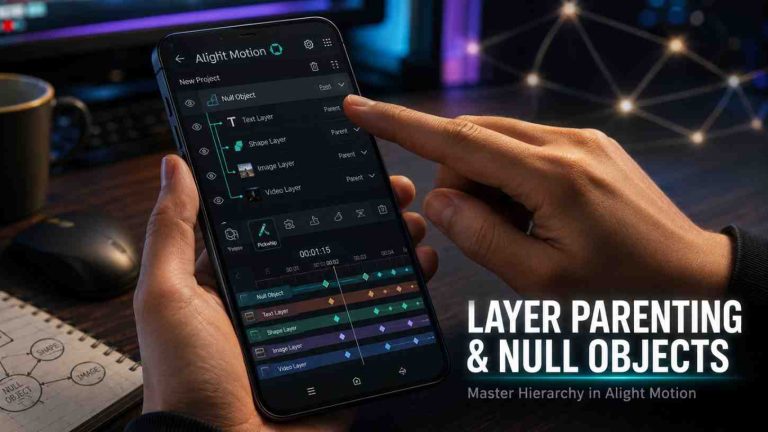
Just like professional desktop editors, Alight Motion supports multiple video, audio, image, and text layers on a single timeline. You can stack clips, overlay graphics, add background music, and place text animations all at the same time.
This is one of the biggest advantages in Alight Motion vs Remini, as Alight Motion offers full video editing capabilities while Remini is primarily focused on AI-powered photo and video enhancement.
Vector Drawing
Alight Motion includes vector drawing tools, which means you can create and animate custom shapes directly inside the app. This is incredibly useful for creating logos, icons, and illustrated motion content without needing a separate design app.
Color Correction and Effects
The color grading tools in Alight Motion are surprisingly advanced for a mobile app. You get brightness, contrast, saturation, hue controls, plus curves and LUT support. I personally use it to give my videos that warm, cinematic tone that performs well on Instagram.
Export Options and Formats
Alight Motion Mod APK supports export in MP4, GIF, and image sequence formats, with resolution options going up to 4K. You can control frame rate, bitrate, and quality settings. The free version adds a watermark, but the paid version gives you clean exports.
What Is Remini?
Remini is an AI-powered photo enhancement app that became viral across India and South Asia and for good reason. I first used it to restore an old, faded photograph of my grandparents. The image was taken on a film camera decades ago, low resolution, slightly blurry. After running it through Remini, the faces were sharp, the details were clear, and it looked like a completely new photo.
That moment told me everything I needed to know about what Remini does best. Developed by Bending Spoons, Remini uses deep learning and AI models to analyze your photos and reconstruct missing details, sharpen faces, remove blur, and enhance overall image quality.
It is not a traditional editor with brushes and sliders it is an AI engine that does the heavy lifting for you, which clearly sets it apart in the context of Alight Motion vs Remini.
Who Should Use Remini?
Remini is perfect for:
- Anyone wanting to restore old or damaged photographs
- Parents who want to sharpen blurry photos of their kids
- Social media users who want sharper, clearer profile photos
- Portrait photographers looking for a quick AI enhancement tool
- People in South Asia restoring scanned old family photos
Main Features of Remini
AI Photo Enhancement
This is Remini’s core feature. With one tap, the AI analyzes your photo, identifies low-quality areas, and reconstructs them with higher detail. The results are genuinely impressive especially on faces and portraits. I have tested this on photos taken in poor lighting conditions, and the before-and-after difference is night and day.
Face and Detail Enhancement
Remini is particularly strong at enhancing faces. The AI understands facial structure and sharpens eyes, skin texture, and hair detail in a way that looks natural not over-processed. This makes it extremely popular among people who take a lot of portrait photos on budget Android phones that do not have great cameras.
Blur Removal and Sharpening
Whether your photo is blurry because of camera shake, poor lighting, or simply low resolution, Remini’s AI blur removal is one of the best I have seen on a mobile app. It works remarkably well on both old scanned photos and modern smartphone shots.
Automatic Image Enhancement
Beyond just sharpening, Remini also improves color balance, exposure, and overall image tone automatically. You do not need to manually adjust sliders the AI handles it. This is perfect for users who do not have editing experience but want professional-looking photos.
AI Filters and Creative Tools
Remini has added creative AI filters over time, including style filters that transform your photos into different artistic looks. While these are fun, the real strength remains in photo restoration and enhancement.
Alight Motion vs Remini | Feature-by-Feature Comparison
Now let us go deep and compare these two apps side by side across every important category.
Editing Tools and Creative Controls
Alight Motion wins this category without question. It offers a complete non-linear video editing timeline, vector drawing, blend modes, masking, effects, and typography tools. Remini, on the other hand, has very limited creative controls its editing is almost entirely automated by AI. If you want creative control over your content, Alight Motion is the clear choice.
AI Capabilities and Enhancement Features
Here, Remini wins easily. Its AI photo enhancement, face restoration, and blur removal technology is among the best available on mobile. Alight Motion does have some AI-assisted features, but they are nowhere near as advanced or as central to the experience. If AI-powered enhancement is what you need, Remini is in a completely different league.
Animation and Layer Support
Alight Motion is the only option here. It supports full keyframe animation, multiple layers, and motion path editing. Remini has zero animation support. This is not a criticism of Remini it was never designed for animation but if animation is part of your workflow, Alight Motion is your only choice between the two.
Export Quality and Output Formats
Alight Motion supports video export up to 4K resolution in MP4 and GIF formats. Remini exports enhanced photos in high resolution, suitable for print and social media. Both deliver excellent output quality in their respective formats. For video, Alight Motion. For photos, Remini.
Ease of Use and User Interface
Remini wins on simplicity. Its interface is clean, minimal, and extremely easy to navigate. You upload a photo, tap enhance, and you are done. Alight Motion has a much steeper learning curve its timeline-based interface takes time to learn, especially for beginners. However, once you learn it, Alight Motion becomes very intuitive.
Performance and Device Compatibility
Both apps run well on mid-range Android and iOS devices, which is important for users across India and South Asia where flagship phones are not always the norm. Alight Motion can get laggy on very low-end phones when working with complex projects involving many layers. Remini is lighter and runs smoothly even on older devices.
Android and iPhone Availability
Both Alight Motion and Remini are available on Android and iOS. Both can be downloaded for free from the Google Play Store and Apple App Store. The free versions have limitations, but they are enough to test the apps before committing to a paid plan.
Alight Motion vs Remini Pricing and Subscription Plans
Free Version Comparison
Both apps offer free versions, but with meaningful limitations.
Alight Motion Free: You get access to most features, but all exported videos carry a visible watermark. Some premium effects and assets are locked behind a paywall.
Remini Free: You get a limited number of free photo enhancements per day. After hitting the daily limit, you either wait or upgrade to premium.
Premium Features and Paid Plans
Alight Motion Premium (approximate pricing for India):
- Monthly plan: Around ₹350/month
- Annual plan: Around ₹2,500/year
- Removes watermark, unlocks all premium effects, fonts, and assets
Remini Premium (approximate pricing for India):
- Monthly plan: Around ₹170/month
- Annual plan: Around ₹1,200/year
- Unlimited enhancements, access to all AI filters, priority processing
Which App Offers Better Value for Money?
It depends entirely on your use case. If you are a video creator, Alight Motion’s pricing is very reasonable for everything you get it replaces the need for expensive desktop software. If you are someone who just wants to enhance photos occasionally, Remini’s lower price point makes it better value. For casual users, Remini’s free tier may be enough.
Pros and Cons of Alight Motion
Advantages of Alight Motion
- Full professional video editing on mobile
- Keyframe animation gives you total creative control
- Multiple layer support for complex projects
- Vector drawing tools built in
- Active community with thousands of free presets and templates
- Supports 4K export
- Available on both Android and iOS
Limitations of Alight Motion
- Steep learning curve for complete beginners
- Free version adds watermark to all exports
- Can be slow on low-end devices with heavy projects
- No AI-powered photo enhancement
- Subscription required for clean, watermark-free output
Pros and Cons of Remini
Advantages of Remini
- Incredibly easy to use even for non-editors
- AI photo enhancement results are genuinely impressive
- Best-in-class face and portrait restoration
- Works well on older, low-resolution photos
- Lightweight app, runs on most devices
- Very affordable premium plan
Limitations of Remini
- Not a video editing app cannot edit clips or create animations
- Free version has daily usage limits
- Over-enhancement can sometimes make photos look artificial
- Limited creative control compared to traditional editors
- AI filters can feel gimmicky after initial novelty wears off
Real-World Use Cases | Which App Should You Choose?
Choose Alight Motion for Video Editing and Motion Graphics
If you create video content whether it is YouTube videos, Instagram Reels, TikTok edits, or motion graphics for a brand Alight Motion is your answer. It gives you tools that no other mobile app can match for video animation and effects.
I personally used Alight Motion to create a full 60-second brand promo video for a small business. The keyframe animations, text effects, and color grading all came together on my phone without needing a laptop, which highlights its strength in Alight Motion vs Remini. That would not have been possible with Remini.
Choose Remini for AI Photo Enhancement
If you have old family photos you want to restore, blurry shots you want to sharpen, or portrait photos that need a quality boost, Remini is the right choice. It is the fastest and most effective AI photo enhancer available on mobile right now.
I have recommended Remini to my relatives in smaller cities across South Asia who have old printed photographs that were scanned and needed enhancement. Every single time, the results surprised them.
Which App Is Better for Content Creators?
For content creators, Alight Motion is the stronger tool. Video content dominates social media across India and South Asia Reels, Shorts, and TikTok videos are where most creators focus their energy. Alight Motion gives you the tools to make that content look professional. Remini plays a supporting role useful for creating eye-catching thumbnail images or cleaning up photos used in videos, but it cannot replace a video editor.
Which App Is Better for Beginners?
If you are a complete beginner, Remini is easier to start with. There is almost no learning curve you upload a photo and tap enhance. Alight Motion requires you to invest time in learning its interface, timeline, and animation tools. However, if your goal is video editing, you will eventually need to learn something like Alight Motion so starting early is worth it.
Alight Motion vs Remini – Community Support and Learning Curve
Tutorials, Templates, and User Community
Alight Motion has a massive, active community, especially on YouTube and Instagram. There are thousands of free XML preset packs and tutorial videos available, many made by creators from India and South Asia. This community makes learning the app much faster.
Remini has a smaller but engaged community, mostly sharing before-and-after enhancement results on social media. Since Remini is simpler, it does not require extensive tutorials, unlike advanced editing features such as Camera Objects in Alight Motion which often need proper learning and practice.
Ease of Learning for New Users
Remini can be learned in under five minutes. Alight Motion takes anywhere from a few days to a few weeks to get comfortable with depending on how deeply you want to use it. If you commit to learning Alight Motion, free YouTube tutorials will get you up and running quickly.
Alternatives to Alight Motion and Remini
If neither app fully matches your needs, here are some alternatives worth considering.
CapCut
CapCut is a free video editing app that is simpler than Alight Motion but more feature-rich than Remini for video. It has AI tools, templates, and an easy interface. A great starting point for beginners who want video editing without a steep learning curve.
KineMaster
KineMaster is another strong mobile video editor with multi-layer support and a user-friendly interface. It is a good alternative to Alight Motion for users who find Alight Motion too complex.
Adobe After Effects
If you are a professional who needs desktop-level power, After Effects is the industry standard for motion graphics. Alight Motion is inspired by it and serves as the mobile alternative, but After Effects has far more capability for advanced professional work.
PicsArt
PicsArt is a photo and video editing hybrid app. It is a good alternative to Remini for photo editing with more creative controls, though its AI enhancement is not as strong as Remini’s.
FAQ’s
Is Alight Motion better than Remini?
They serve completely different purposes, so comparing them directly is not straightforward. Alight Motion is better for video editing and motion graphics. Remini is better for AI photo enhancement. The better app depends entirely on what you need to create.
Can Remini edit videos like Alight Motion?
No. Remini is exclusively a photo enhancement app. It cannot edit videos, create animations, or work with multi-layer timelines. For video editing, you need Alight Motion or a similar video editor.
Which app is better for Instagram Reels and TikTok videos?
Alight Motion is the better choice for creating Reels and TikTok videos. It gives you the animation tools, transitions, effects, and export quality needed for professional-looking short-form video content.
Does Remini support animation features?
No. Remini does not support any animation features. It is purely a photo enhancement and restoration tool powered by AI.
Is Alight Motion available on Android and iOS?
Yes. Alight Motion is available on both Android and iOS. You can download it for free from the Google Play Store or Apple App Store, with an optional premium subscription for watermark-free exports and full feature access.
Which app is better for beginners?
Remini is significantly easier for beginners due to its simple, one-tap AI enhancement interface. Alight Motion has a steeper learning curve but is worth the investment if your goal is video editing and animation.
Are Alight Motion and Remini free to use?
Both apps have free versions with limitations. Alight Motion’s free version adds a watermark to exports. Remini’s free version limits the number of daily enhancements. Both offer paid premium plans to unlock full features.
Conclusion
After using both apps extensively, here is my honest final take.
Choose Alight Motion if: You are a video creator, motion graphic designer, or content creator who wants professional-level video editing and animation tools on your smartphone. It is powerful, flexible, and has a thriving community behind it especially in India and South Asia.
Choose Remini if: You want to enhance, restore, or sharpen photos using AI with minimal effort. It is the best mobile tool available for photo restoration, and its results on old or blurry photos are genuinely remarkable.
The good news? You do not have to choose just one. Many creators across South Asia use both Alight Motion for their video content and Remini to enhance photos used as thumbnails or within videos. Together, they cover both sides of mobile content creation.
If you are just starting out and can only pick one, ask yourself this simple question: Am I making videos or editing photos? Your answer tells you exactly which app to download first.