Alight Motion vs Filmora | Which Video Editor Is Better for Creators in 2026?
If you have ever sat there staring at your phone, switching between two apps and wondering which one is actually worth your time trust me, I have been there. I spent weeks using both Alight Motion vs Filmora back to back, editing everything from Instagram Reels to full motion graphics projects. And honestly? Both apps surprised me but in very different ways.
So in this comparison, I am not going to throw random specs at you. I am going to tell you exactly what I experienced, what frustrated me, what impressed me, and most importantly which one you should actually use based on what YOU create.
Let’s get into it.
Quick Comparison Table: Alight Motion vs Filmora
| Feature | Alight Motion | Filmora |
| Platform | Android, iOS | Android, iOS, Windows, Mac |
| Best For | Motion graphics, animation | Beginners, fast editing |
| Keyframe Animation | Advanced | Basic |
| AI Tools | Limited | Strong (AI cutout, denoise, etc.) |
| Vector Graphics | Yes | No |
| Multi-Layer Editing | Yes (unlimited) | Yes (limited on mobile) |
| 4K Export | Yes (Pro) | Yes (Pro) |
| Free Version | Yes (watermark) | Yes (watermark) |
| Starting Price | ~$4.99/month | ~$6.99/month |
| Learning Curve | Moderate to High | Low to Moderate |
| Best For Social Media | Reels, TikTok edits | YouTube, Shorts |
Key Differences at a Glance
Before going deep, here is the simplest way to understand both apps:
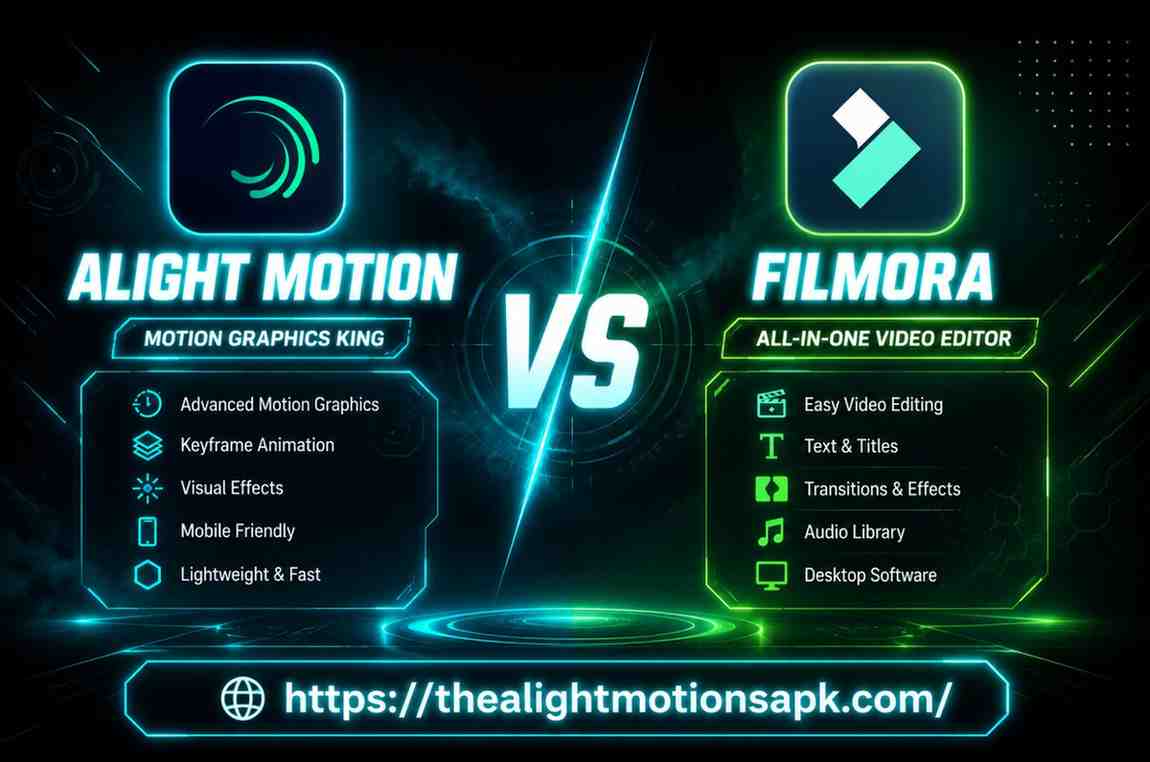
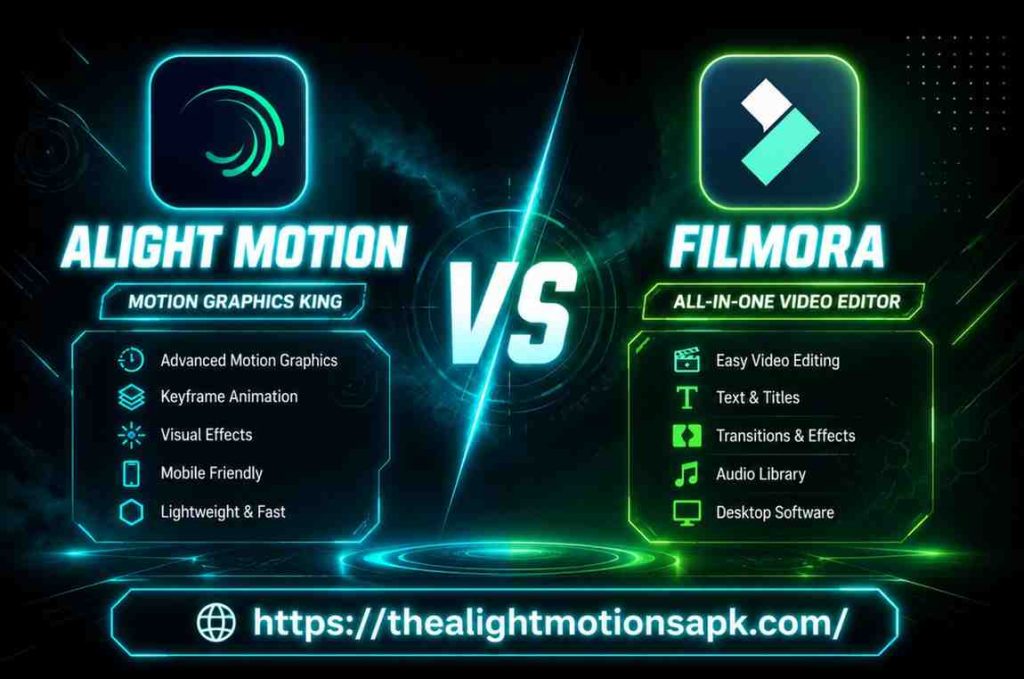
- Alight Motion is built for creators who want control keyframes, vector layers, motion graphics, and frame-by-frame precision. It is the app that professional mobile editors swear by.
- Filmora is built for creators who want speed drag, drop, apply an AI effect, and export. It is the app that gets your video done fast without needing a degree in editing.
Neither is objectively better. But one of them is definitely better for you and by the end of this article, you will know exactly which one.
Which Editor Is Best for Different Types of Creators?
| Creator Type | Best App |
| Motion graphics designer | Alight Motion |
| YouTube vlogger | Filmora |
| Instagram Reels creator | Alight Motion |
| TikTok beginner | Filmora |
| Animation enthusiast | Alight Motion |
| Podcast video editor | Filmora |
| Advanced mobile editor | Alight Motion |
| First-time video editor | Filmora |
What Is Alight Motion?
I still remember the first time I opened Alight Motion. It felt like someone had taken Adobe After Effects and squeezed it into a mobile app. That was both exciting and slightly overwhelming.
Alight Motion is a professional-grade mobile video and motion graphics editor developed by Alight Creative. When comparing Alight Motion vs Filmora, one of the biggest differences is that Alight Motion was built specifically for creators who need frame-level control over their animations, effects, and layers.
Unlike most mobile editors, it does not dumb things down it gives you the full toolkit and trusts you to figure it out.
It is available on Android and iOS, and it has built one of the most passionate editing communities in South Asia, especially in India, Pakistan, and Bangladesh where creators use it daily for YouTube edits, WhatsApp status videos, and viral Reels content.
Main Features of Alight Motion
- Advanced keyframe animation with full easing controls
- Vector and bitmap graphics support on the same timeline
- Multi-layer timeline with unlimited layer stacking
- Visual effects and motion blur for cinematic feel
- Color correction tools including curves and HSL
- Blend modes (over 100 options)
- JSON-based preset sharing through the community
- Frame-by-frame editing precision
- 4K video export on Pro plan
- Custom speed curves for smooth transitions
Who Should Use Alight Motion?
You should use Alight Motion if you are someone who takes editing seriously. If you create motion graphics, animated Reels, lyric videos, or cinematic transitions this is your app. It rewards patience. The more time you invest in learning it, the more powerful your edits become.
What Is Filmora?
The first time I used Filmora on my phone, I had a finished video ready in under 20 minutes. That honestly shocked m because the same project would have taken me an hour in Alight Motion.
Filmora is a video editing software developed by Wondershare. It is available on Android, iOS, Windows, and Mac, making it one of the most cross-platform editors available right now. Filmora was built with one mission: make video editing fast, simple, and accessible for everyone.
What sets Filmora apart in 2026 is its AI-powered feature set. From AI background removal to auto-captions and noise reduction Filmora has genuinely leaned into smart tools that save creators hours of manual work.
Main Features of Filmora
- AI Cutout for automatic background removal
- Auto Captions with multilingual support
- AI Noise Reduction for cleaner audio
- Drag-and-drop timeline for fast editing
- 500+ built-in transitions and effects
- Speed ramping with curve control
- Multi-layer editing on desktop (limited on mobile)
- 4K export on paid plans
- Template library with ready-to-use presets
- Audio ducking and sync tools
- Screen recording (desktop version)
Who Should Use Filmora?
Filmora is perfect if you are just starting out or if you need to produce content quickly and consistently. If you run a YouTube channel, create educational videos, or just want to edit your travel vlogs without spending hours learning tools Filmora is made for you.
Alight Motion vs Filmora: Feature-by-Feature Comparison
This is where things get really interesting. I tested both apps on the same device, with the same type of project and the differences were very clear.
Editing Tools and Workflow
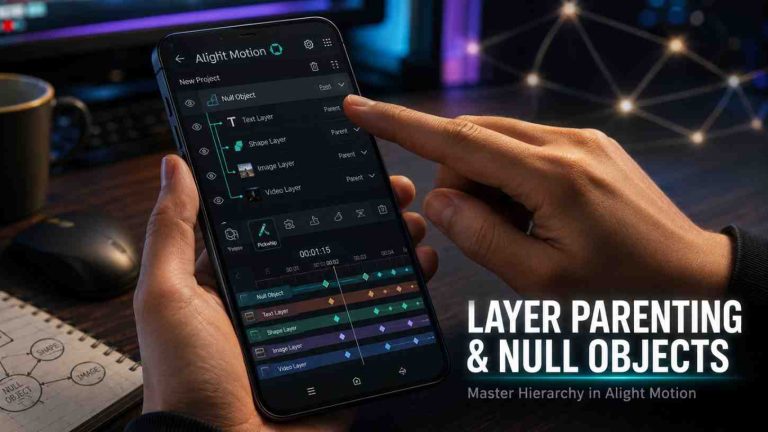
When I opened a project in Alight Motion, the first thing I noticed was how much control it gives you from the very start. Every clip, graphic, and effect sits on its own layer. You can rearrange, lock, mute, or solo any layer at any time. The workflow feels like a professional desktop editor compressed into a mobile screen.
Filmora’s workflow is the opposite and that is not a bad thing. It is linear, clean, and fast. You drop your clips on the timeline, apply effects from the panel on the right, and you are done. For someone who just wants to edit without overthinking, Filmora wins here easily.
Winner: Filmora for simplicity. Alight Motion for control.
Keyframe Animation Capabilities
This is where Alight Motion absolutely dominates. The keyframe system in Alight Motion is genuinely one of the best I have used on any mobile platform. You can animate literally any property position, scale, rotation, opacity, color, blur with precise easing controls like ease-in, ease-out, and custom bezier curves.
I once animated a full logo reveal with 12 layers and custom motion paths entirely on my phone using Alight Motion. That kind of precision is one of the biggest advantages in the Alight Motion vs Filmora comparison and is simply not possible in Filmora.
Filmora does have keyframes, but they are basic. You can animate scale and position, but the depth of control is nowhere near Alight Motion.
Winner: Alight Motion by a massive margin.
Motion Graphics and Creative Control
If motion graphics are your thing, Alight Motion is the only real choice between these two. It supports vector graphics natively, lets you build complex animated scenes from scratch, and gives you blend modes, masking, and effects stacking all on the same timeline.
Filmora is not built for motion graphics. You can add text animations and use pre-made templates, but creating something from scratch with custom animation paths? That is not what Filmora is designed for.
Winner: Alight Motion.
Multi-Layer Editing Support
Both apps support multi-layer editing, but the experience is very different.
In Alight Motion, layers are the foundation of everything. You can stack as many as your device can handle video, audio, vector graphics, effects, and adjustments all on separate layers. It is genuinely powerful.
In Filmora (desktop), multi-layer editing is solid and works well for standard video projects. On mobile, it is more limited you can overlay clips and add PIP (picture-in-picture) elements, but it does not match Alight Motion’s depth.
Winner: Alight Motion for depth. Filmora desktop for balance.
Vector Graphics Support
This one is simple. Alight Motion supports vector graphics natively. You can import SVG files, create vector shapes directly in the app, and animate them with full keyframe control. This is a game-changer for logo animations and motion design work.
Filmora does not support vector graphics. You can add shapes and text, but there is no true vector layer support.
Winner: Alight Motion.
Effects, Filters, and Transitions
Here Filmora takes the lead. With over 500 built-in transitions, filters, and effects many of which are genuinely high quality Filmora gives you a massive creative library without needing to import anything from outside.
Alight Motion has excellent effects too, but many of the best ones come from the community preset library which means you need to know where to find them and how to import them. For a beginner, this can be a barrier.
Winner: Filmora for quantity and accessibility. Alight Motion for customization.
AI Tools and Smart Features
This is Filmora’s strongest card in 2026. The AI tools in Filmora have gotten seriously impressive:
- AI Cutout removes backgrounds in seconds
- Auto Captions generate subtitles automatically
- AI Noise Reduction cleans up audio
- Smart Scene Detection for automatic clip trimming
- AI Color Matching across multiple clips
Alight Motion has introduced some smart features, but it is not primarily an AI-driven tool. Its strength is manual precision, not automation.
Winner: Filmora clearly.
Templates and Presets
Filmora has a large built-in template library directly inside the app. You open the app, pick a template, drop in your footage, and you have a finished video. Super fast.
Alight Motion’s templates and presets come mainly from the community creators share JSON preset files that you import manually. This system is incredibly powerful if you know how to use it, but for new users, it adds a learning step.
Winner: Filmora for convenience. Alight Motion for community-powered creativity.
Export Quality and Supported Formats
Both apps support 4K video export on their paid plans. In my testing, the export quality from both was excellent at 4K/30fps. Alight Motion also supports custom frame rates and bit rates, which gives it an edge for professional output.
Filmora supports MP4, MOV, and several other formats. Alight Motion primarily exports in MP4 and GIF, with more format control on the pro version.
Winner: Tie for standard use. Alight Motion for advanced export control.
4K Video Rendering and Output Options
On a mid-range Android device, I tested 4K rendering on both apps. Alight Motion took longer to render but the output was clean and detailed. Filmora rendered faster, especially with hardware acceleration on desktop.
For mobile-only creators, both perform well at 1080p. In the Alight Motion vs Filmora comparison, 4K rendering on mobile will tax your device regardless of which app you use.
User Interface and Ease of Use
Which App Is More Beginner Friendly?
Honestly? Filmora wins this without any competition. The interface is clean, the icons are labeled, and the workflow makes logical sense from the moment you open it. I gave Filmora to my younger cousin who had never edited a video before she had a finished Reel in 30 minutes.
Alight Motion’s interface is powerful but dense. The first time you open it, you will likely feel lost. The layer panel, the properties panel, the timeline it is a lot to take in at once.
Learning Curve and Navigation Experience
Alight Motion has a steep learning curve, but it is worth climbing if you are serious about editing. Once you understand how layers and keyframes work, the app becomes second nature. Most South Asian creators who use Alight Motion learned it through YouTube tutorials and there are thousands of them available in Hindi, Urdu, and Bengali.
Filmora is nearly self-teaching. The tooltips, the drag-and-drop behavior, and the template suggestions guide you naturally. You do not need tutorials to start though they help when you want to go deeper.
Performance and Device Compatibility
Speed and Stability
In my experience, Filmora runs more smoothly on mid-range devices. It is better optimized for lower-end hardware and handles real-time previews well even on 4GB RAM phones.
Alight Motion can get heavy on older or mid-range devices, especially with multiple layers and effects active. On a flagship phone, it runs beautifully. On a budget device, you may experience some lag during preview.
Android Compatibility
Both apps are available on Android. Alight Motion is widely used across Android devices in India, Pakistan, and Bangladesh even on mid-range phones. Filmora also runs well on Android but performs better on devices with more RAM.
iPhone and iPad Support
Both apps are available on iOS. Filmora on iPad takes advantage of the larger screen really well, offering a near-desktop experience. Alight Motion on iPad is also excellent for detailed motion graphics work.
Windows and Mac Compatibility
This is where Filmora has a clear advantage. Filmora has a full-featured desktop version for Windows and Mac that is significantly more powerful than its mobile counterpart. You get more layers, better performance, and additional AI tools.
Alight Motion is mobile-only. There is no official desktop version. This is a significant limitation if you want to work across devices.
Winner: Filmora for cross-platform support.
Pricing Comparison
Free Version Features
Both apps offer free version but both come with watermarks on export.
Alight Motion Free:
- Access to basic tools
- Watermark on all exports
- Limited effects library
- Community preset import works
Filmora Free:
- Access to most editing tools
- Watermark on export
- Limited AI feature access
- Template library partially accessible
Monthly Subscription Plans
- Alight Motion: Approximately $4.99/month
- Filmora: Approximately $6.99/month (mobile) | $9.99/month (desktop)
Annual Plans
- Alight Motion: Approximately $35-40/year
- Filmora: Approximately $49.99/year (cross-platform bundle available)
Free vs Paid Features
The biggest jump in both apps is watermark removal and export quality. For Filmora, the paid plan also unlocks the full AI toolkit. For Alight Motion, paid unlocks 4K export and removes the watermark but the core editing tools are accessible even on free.
Winner: Alight Motion for value. Filmora for feature depth on paid.
Content Creation Experience
Social Media Video Editing
For Instagram Reels and TikTok, Alight Motion is the go-to app for creators who want that polished, professional look with custom transitions and motion effects. The South Asian creator community especially in India and Pakistan has built an entire culture around Alight Motion edits.
For YouTube Shorts and Facebook videos, Filmora is faster and easier. The templates are optimized for social media dimensions and the AI tools help you create content at scale.
Reels, Shorts, and TikTok Content
Both apps handle vertical video well. Alight Motion gives you more creative control for those trending transition edits that go viral. Filmora helps you produce more content faster with its template system.
Professional Motion Graphics Projects
If you are creating logo reveals, title animations, or branded content Alight Motion Changelog is the only choice between these two. It is genuinely capable of producing After Effects-level results on a mobile device.
Community and Learning Resources
Tutorials and Templates Availability
Alight Motion has one of the most active mobile editing communities in South Asia. YouTube channels in Hindi, Urdu, Tamil, and Bengali cover everything from basic tutorials to advanced motion graphics. Telegram groups share preset files daily. It is a vibrant, generous community.
Filmora also has strong tutorial support both through its official YouTube channel and through the creator community. However, the templates are already built into the app, so you need fewer tutorials to get started.
User Community and Support
Both apps have active communities, but Alight Motion’s community in South Asia is particularly strong. The culture of sharing presets, helping beginners, and creating tutorial content is something Alight Motion users genuinely enjoy.
Pros and Cons of Alight Motion
Advantages of Alight Motion
- Unmatched keyframe animation control on mobile
- Native vector graphics support
- Massive, active community in South Asia
- Powerful blend modes and effects
- JSON preset sharing system
- Great for motion graphics and professional edits
- Affordable pricing compared to desktop alternatives
- Regular updates and new features
Limitations of Alight Motion
- Steep learning curve for beginners
- No official desktop version
- Can lag on lower-end devices
- AI features are limited compared to Filmora
- Community presets require manual import
- 4K export only on paid plan
Pros and Cons of Filmora
Advantages of Filmora
- Very beginner-friendly interface
- Strong AI tools (cutout, captions, noise reduction)
- Available on Windows, Mac, Android, and iOS
- Large built-in template library
- Faster workflow for content creators
- Better performance on mid-range devices
- Great for YouTube and long-form content
Limitations of Filmora
- No vector graphics support
- Basic keyframe system
- Not suitable for advanced motion graphics
- Slightly more expensive than Alight Motion
- Mobile version is less powerful than desktop
- Watermark on free version
Who Should Choose Alight Motion?
Best for Motion Graphics Creators
If your content involves animated text, logo reveals, layered motion effects, or visual storytelling Alight Motion is built for you. It is the closest thing to After Effects that exists on a mobile device.
Best for Animation Enthusiasts
The keyframe system, easing controls, and vector support make Alight Motion the best choice for anyone interested in frame-by-frame animation and creative motion design.
Best for Advanced Mobile Editing
If you are serious about your craft and want to create edits that genuinely stand out edits that make people stop scrolling and ask “how did you do that?” Alight Motion is your app.
Who Should Choose Filmora?
Best for Beginners
If you are just starting your editing journey, Filmora removes every barrier. Open the app, pick a template, add your clips, and export. Done. No tutorials needed on day one.
Best for Fast Video Editing
For creators who need to produce content consistently and quickly daily YouTube uploads, weekly vlogs, social media content at scale Filmora’s workflow is designed exactly for that.
Best for AI-Powered Editing
If you want AI to do the heavy lifting removing backgrounds, generating captions, cleaning up audio Filmora’s AI suite in 2026 is genuinely impressive and saves real hours of work.
Alight Motion vs Filmora – Which One Should You Choose?
Choose Alight Motion If…
- You want advanced keyframe animation on mobile
- You create motion graphics, lyric videos, or cinematic transitions
- You are part of the South Asian creator community and want to use trending presets
- You are willing to invest time in learning a powerful tool
- Budget matters and you want a capable free version
Choose Filmora If…
- You are a beginner or intermediate creator
- You need a cross-platform editor (mobile + desktop)
- AI-powered tools are important to your workflow
- You produce content quickly and consistently
- You want a large library of ready-to-use templates
Overall Winner in 2026
There is no single winner and anyone who tells you otherwise is not being honest with you.
Alight Motion wins for mobile-first creators, motion graphics artists, and the South Asian creator community that has built a culture around it.
Filmora wins for beginners, cross-platform creators, and anyone who values AI tools and fast workflow.
Conclusion
After using both apps extensively, here is my honest take Alight Motion vs Filmora:
If I had to keep only one app on my phone I would keep Alight Motion. Because the kind of content I love creating animated transitions, motion graphics, layered effects is simply better in Alight Motion Pc. It has become a part of how I edit, and the community around it keeps giving me new inspiration every week.
But if someone asked me what to recommend to a friend who has never edited before I would say start with Filmora. Get comfortable with the basics, understand timelines and layers, then graduate to Alight Motion when you are ready.
Both apps deserve a place in a creator’s toolkit. The best choice is the one that matches where you are right now and where you want to go.
FAQ‘s
Is Alight Motion better than Filmora?
It depends on your use case. Alight Motion is better for motion graphics and advanced animation. Filmora is better for beginners and fast content production. Neither is universally better.
Which app is easier for beginners?
Filmora is significantly easier for beginners. Its drag-and-drop interface and built-in templates make it possible to create a finished video within minutes of opening the app for the first time.
Can Alight Motion edit 4K videos?
Yes, Alight Motion supports 4K video export on its Pro (paid) plan. The free version is limited in export quality and adds a watermark.
Does Filmora have AI features?
Yes. Filmora in 2026 includes AI Cutout, Auto Captions, AI Noise Reduction, Smart Scene Detection, and AI Color Matching making it one of the most AI-capable mobile editors available.
Which app is better for YouTube videos?
Filmora is generally better for YouTube content, especially for vlogs and talking-head videos. Its desktop version is particularly strong for longer-form YouTube edits.
Is Alight Motion only available on mobile?
Yes, Alight Motion is currently available only on Android and iOS. There is no official desktop version, which is one of its main limitations compared to Filmora.
Which app offers better animation tools?
Alight Motion offers significantly better animation tools. Its keyframe system, vector support, and motion path controls are far more advanced than anything Filmora currently offers.
Is Filmora worth paying for?
If you are a regular content creator especially on YouTube or social media Filmora’s paid plan is worth it. The watermark removal alone makes a huge difference, and the AI tools add real value.
Can I use both apps together?
Absolutely. Many professional creators in South Asia use Alight Motion for motion graphics and transitions, then bring everything together in Filmora for final cuts and color grading. Using both together gives you the best of both worlds.
Which app is best for reels and shorts?
For highly creative, animated Reels Alight Motion. For quick, template-based Reels and Shorts Filmora. It really comes down to how much time you want to invest in each edit.